Config IDs
How Config IDs connect your applications to Hawcx
Overview
A Config ID is the credential that connects your application to Hawcx. It's scoped to a specific project and environment, and it's what you pass to the Hawcx SDK to initialize authentication.
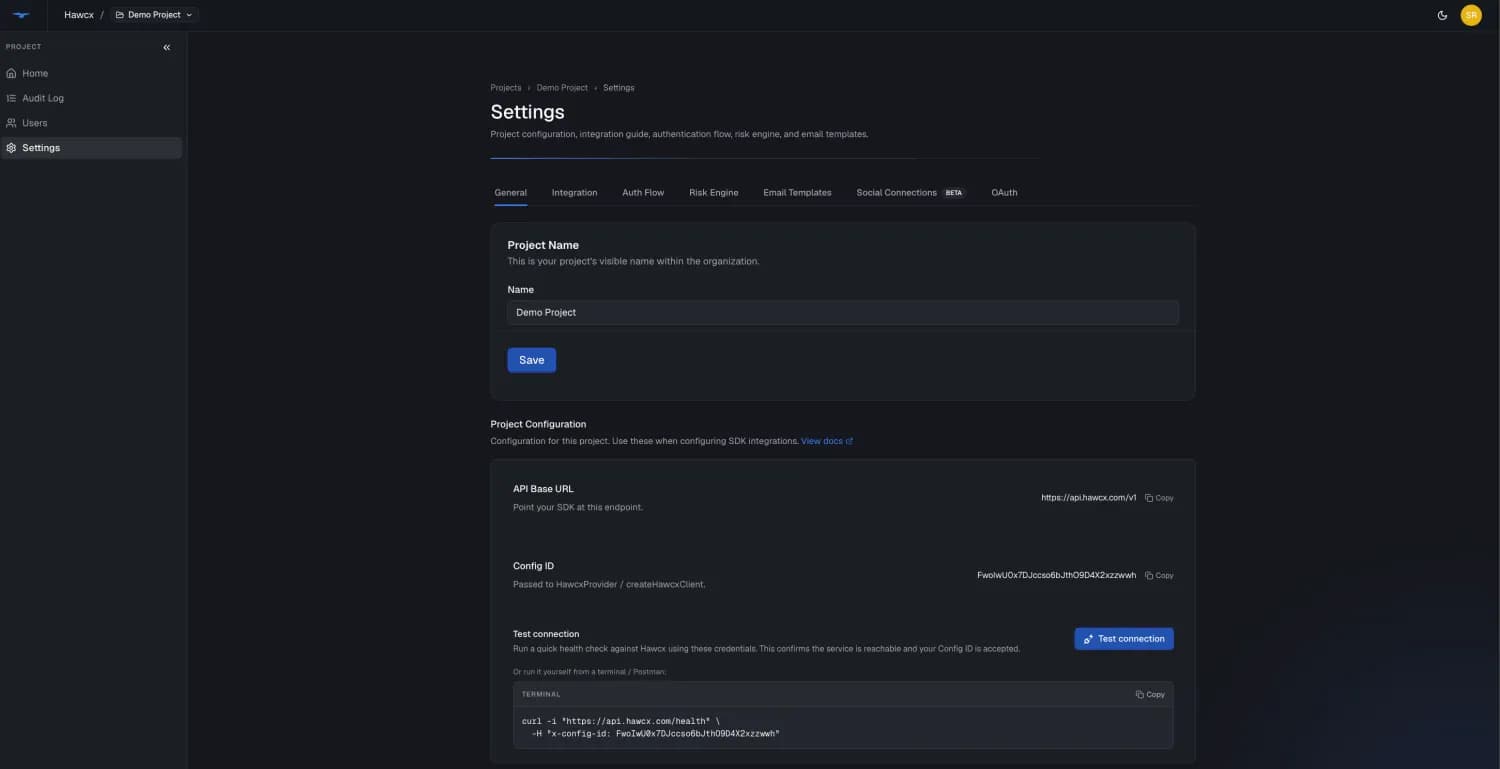
There's no generation step. As soon as a project is created, its Config ID and Base URL appear in the Admin Console under Project → Settings, and any role can view them.
Development vs Production
| Development | Production | |
|---|---|---|
| How you get it | Shown in Project → Settings as soon as the project is created | Provided by Hawcx on request |
| Use case | Testing, staging, local dev | Live user-facing apps |
Moving to production
To go live, contact the Hawcx team to have your production environment provisioned. Once it's enabled, Hawcx provides your production Config ID and Base URL.
Using Your Config ID
Pass the Config ID when initializing the Hawcx SDK:
// React
<HawcxProvider config={{ configId: 'your_config_id' }}>
// Vanilla JS
const client = createHawcxAuth({ configId: 'your_config_id' });# Environment variable
VITE_HAWCX_CONFIG_ID=your_config_idBase URL
Your Base URL sits right next to the Config ID on the same Project Settings page in the Admin Console — copy it from there.
The base URL is unique to your environment — there is no universal default. Backend SDKs take it directly; the Web SDK's apiBase defaults to production, so for a sandbox project set it explicitly (frontend apiBase, backend base URL) or your PoC will silently talk to production.
Next Steps
- 5-Minute Integration to build a complete login flow
- Web SDK Quickstart for full frontend setup
Last updated on