Audit Logs
Track all actions across your organization for compliance and security
Overview
Audit logs provide a complete record of every significant action taken in your organization. They're available at both the organization level and within individual projects.
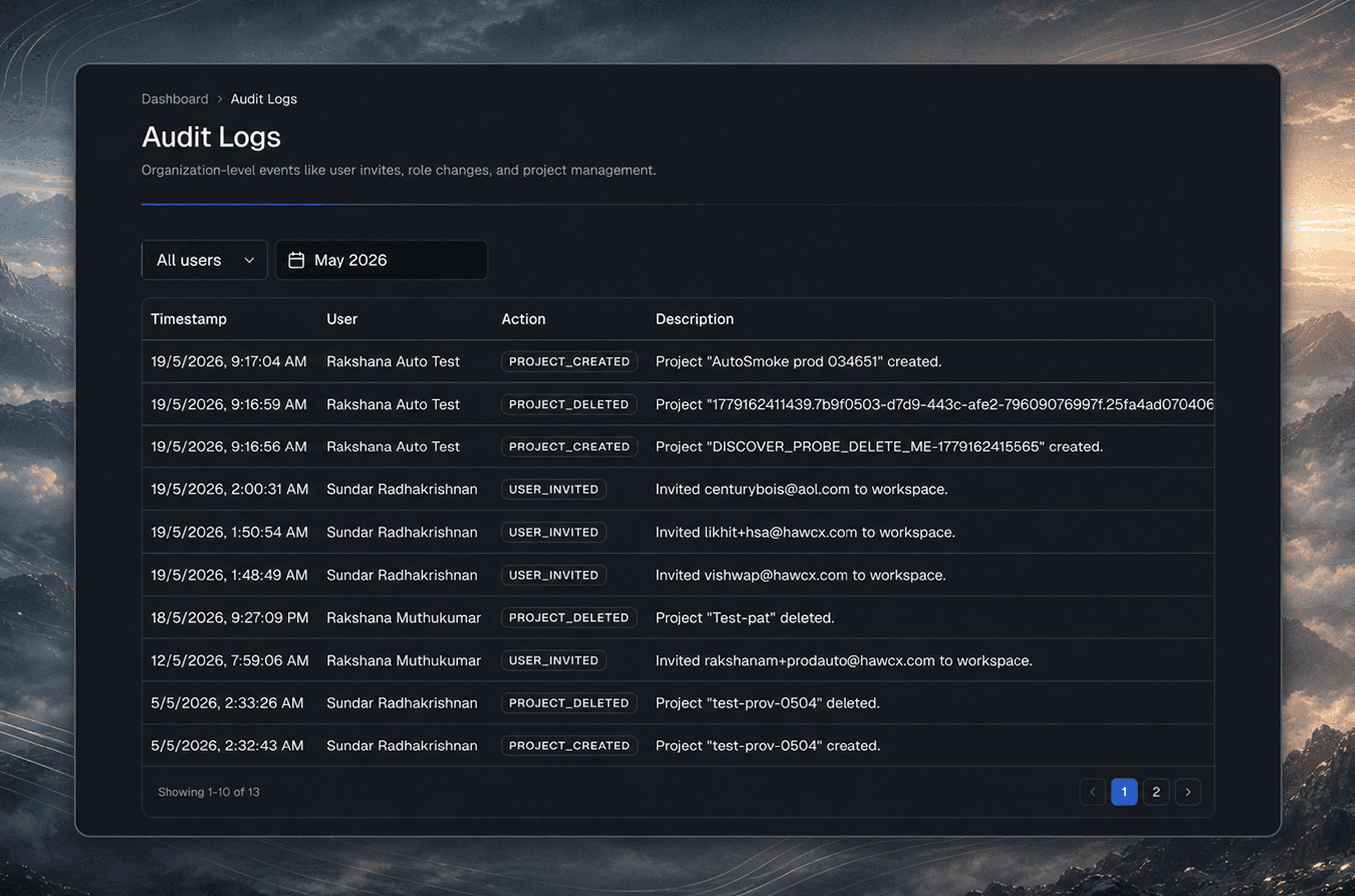
Tracked Actions
| Action | Description | Details Logged |
|---|---|---|
USER_INVITED | Team member invited | Target email, role, projects |
USER_REMOVED_FROM_ORG | User removed from organization | Target user email |
USER_ROLE_CHANGED | User role updated | Old role, new role, target email |
USER_PROJECTS_CHANGED | Project assignments updated | Added/removed projects |
PROJECT_CREATED | New project created | Project name, environment |
PROJECT_DELETED | Project deleted | Project name |
CONFIG_ID_CREATED | Config ID generated | Prefix, environment, platform |
CONFIG_ID_REVOKED | Config ID revoked | Prefix |
AUTH_FLOW_UPDATED | Auth flow configuration changed | Flow type, settings |
PROD_CONFIG_REQUESTED | Production Config ID requested | Project, platform, reason |
PROD_CONFIG_APPROVED | Production Config ID approved | Project, approver |
PROD_CONFIG_REJECTED | Production Config ID rejected | Project, rejection reason |
Filters
| Filter | Options |
|---|---|
| Date Range | Flexible start and end month selection |
| User | All users or a specific team member |
Organization vs Project Logs
- Organization audit log (sidebar > Audit Log) shows all actions across the entire organization
- Project audit log (inside a project > Audit Log) shows only actions related to that specific project
Using Audit Logs
Audit logs help you:
- Investigate incidents by tracing who created or revoked a Config ID
- Monitor team activity to see role changes and invitation history
- Meet compliance requirements by maintaining a tamper-proof action trail