Risk Engine
Configure when Hawcx requires MFA in response to risk signals
The Risk Engine is a project-level component that operates alongside the configured authentication flow. On each sign-in, it evaluates a defined set of signals against the thresholds configured for the project. When a signal exceeds its threshold, Hawcx requires multi-factor authentication in addition to the primary verification defined in Flow Configuration. When no signal exceeds its threshold, the sign-in proceeds without further challenge.
The Risk Engine is configured in the Admin Console under Project → Settings → Risk Engine.
Configuration overview
The settings page is organized into three layers, applied in sequence:
- Engine state. Enables or disables the Risk Engine for the project.
- Risk posture. Selects one of three preset profiles (Strict, Balanced, Relaxed) that establishes default values for every rule.
- Rule overrides. Adjusts individual rule thresholds on top of the selected posture.
Most projects retain the default posture and do not modify individual rules. Rule overrides are intended for cases in which a single signal must be tuned independently of the others.
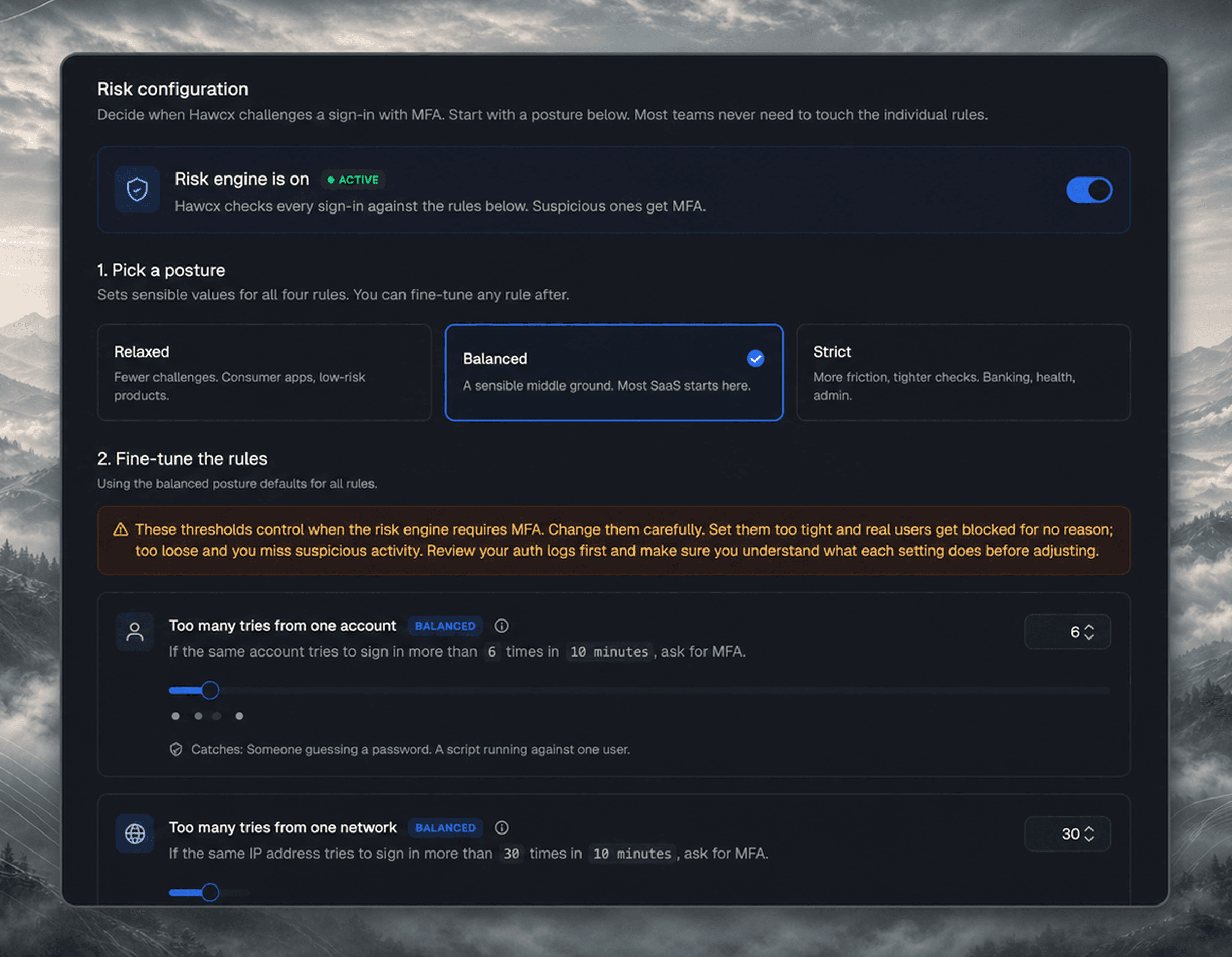
Engine state
The top section of the page contains a single switch that controls whether the Risk Engine is active for the project.
When enabled, every sign-in is evaluated against the active rules, and sign-ins that exceed any threshold are challenged with MFA. When disabled, sign-ins are permitted without risk evaluation. The selected posture and any rule overrides are preserved on the server while the engine is disabled and are reapplied when it is re-enabled.
A secondary toggle controls whether Hawcx continues to record login baselines while the engine is disabled.
Risk posture
A posture establishes default values for all four rule thresholds simultaneously. Three postures are available.
| Preset | Per-user 10m | Per-IP 10m | Geo distance | Travel speed | Recommended use case |
|---|---|---|---|---|---|
| Strict | 4 | 20 | 300 km | 600 km/h | Banking, healthcare, administrative portals |
| Balanced (default) | 6 | 30 | 600 km | 900 km/h | General-purpose SaaS applications |
| Relaxed | 10 | 100 | 1,000 km | 1,500 km/h | Consumer applications, gaming, low-risk products |
A stricter posture challenges a higher proportion of sign-ins, producing greater user friction and fewer false negatives. A more relaxed posture challenges fewer sign-ins, producing less friction and more false negatives. The Balanced posture is applied by default for new projects.
Rule overrides
Each rule is presented as a discrete card containing a slider, a numeric input, and a short description. The description states the threshold's effect in plain language (for example, "If the same account attempts to sign in more than N times within 10 minutes, MFA is required"), so the meaning of each value is unambiguous.
| Rule | Measurement | UI range | Threats addressed |
|---|---|---|---|
| Too many tries from one account | Sign-in attempts for the same user (email or phone) within a rolling 10-minute window | 3–100 | Credential stuffing, automated attacks against a single user |
| Too many tries from one network | Sign-in attempts from the same IP address within a rolling 10-minute window, across all users | 10–500 | Botnets, shared-IP abuse, distributed credential stuffing |
| Sign-in from far away | Distance from the user's most recent baseline location, computed via GeoIP | 300–5,000 km | Account takeovers originating in a different city or country |
| Impossible travel | Travel speed implied between two consecutive sign-ins for the same user | 300–2,000 km/h | Session hijacking, credential sharing, concurrent sign-ins from disparate locations |
Applying changes
Saving a change opens a confirmation dialog that notes the propagation delay before the change reaches the authentication service. Sign-ins that occur during this window may still be evaluated against the previous configuration. When the change is security-weakening (disabling the engine, or switching the project to the Relaxed posture), the dialog also displays an additional warning. The change is applied only after Confirm & save is clicked.
Changes typically propagate to the authentication service within one minute. If a change must take effect immediately during an active incident, contact Hawcx support.
Related
- Flow Configuration defines the primary and MFA methods invoked by the Risk Engine.
- Audit Logs record every change made to the Risk Engine configuration.