Dashboard & Analytics
Monitor authentication activity, user metrics, and platform health
Overview
The Dashboard is the first page you see after signing in to the Hawcx Console. It gives you a quick view of how authentication is performing across your organization.
You can use it to monitor active users, track login volume, review recent activity, and jump into common admin tasks like creating projects or inviting team members.
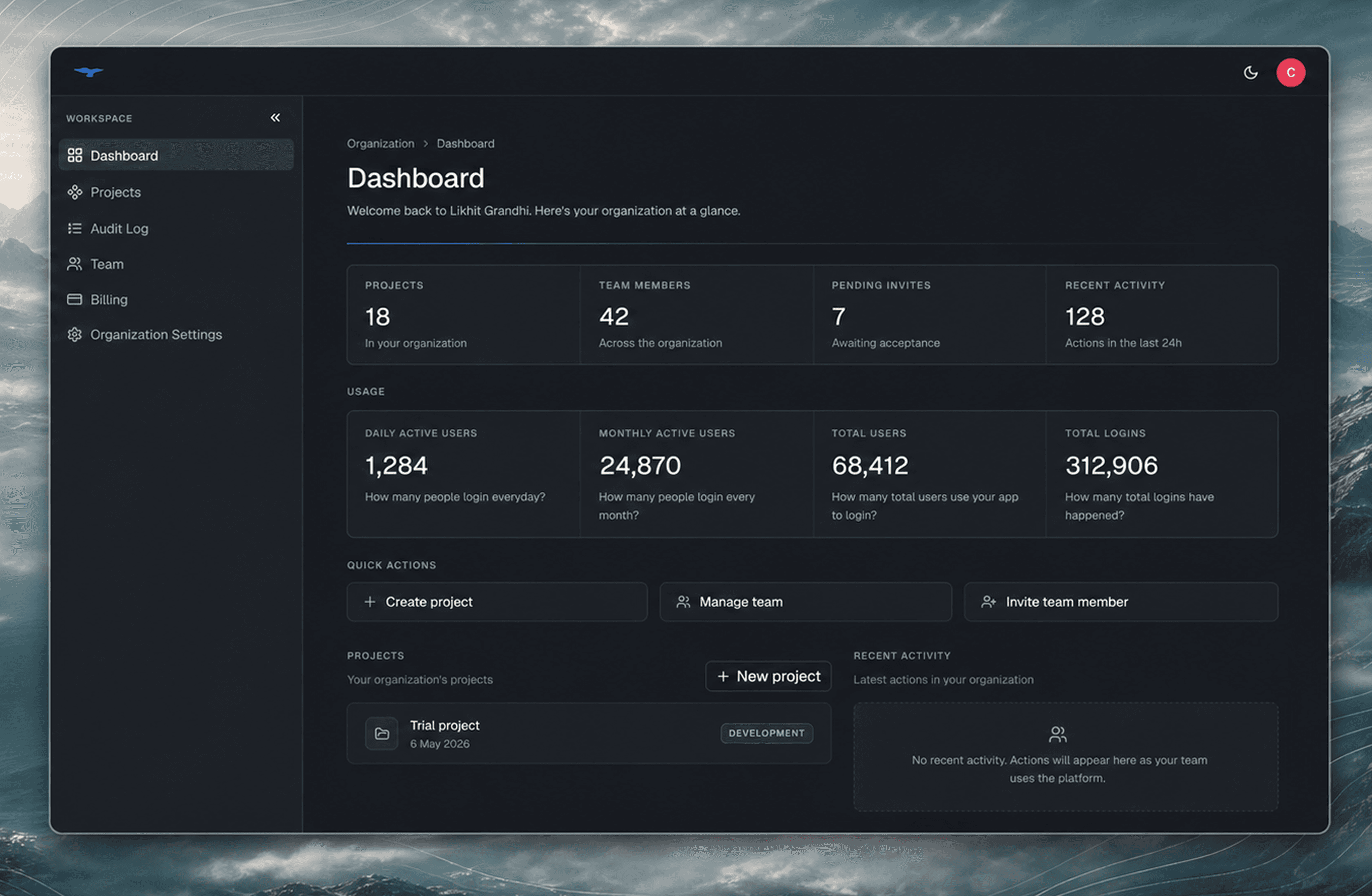
The dashboard is designed to answer the questions admins usually have first: how many users are active, how much authentication activity is happening, which projects were recently created, and what changed most recently.
Metrics
At the top of the dashboard, usage cards summarize authentication activity across your organization.
| Metric | Description |
|---|---|
| Daily Active Users (DAU) | Distinct users who logged in today |
| Monthly Active Users (MAU) | Distinct users active in the last 30 days |
| Total Users | All users in your organization |
| Logins | Total authentication events across all time |
These metrics help you understand usage at a glance. For example, DAU and MAU show whether users are actively returning, while Logins shows total authentication volume.
Admin-only metrics
Admins see an additional row of organization metrics:
| Metric | Description |
|---|---|
| Projects | Total projects in your organization |
| Team Members | Users with access to your organization |
| Pending Invites | Invitations that have not been accepted yet |
| Recent Activity | Actions recorded in the last 24 hours |
Use these cards to quickly check organization setup and team activity without opening each settings page.
Filters
Use filters when you want to narrow the analytics shown on the dashboard.
| Filter | Options |
|---|---|
| Date Range | 7 days, 30 days, 90 days |
| Environment | All, Development, Production |
| Platform | All, iOS, Android, Web |
For example, you can switch from All environments to Production to review real user activity, or filter by platform to compare iOS, Android, and Web usage.
Analytics
Below the metrics cards, the dashboard shows more detail about usage and recent activity.
You'll find:
- Trend charts that show usage over the selected date range
- Quick Actions for common tasks like creating a project, managing your team, or inviting a member
- Projects Overview with recently created projects and creation dates
- Activity Log showing who did what and when
This section is useful when you want to move from a high-level snapshot into recent changes or operational follow-up.
Project-level analytics
Organization metrics show activity across all projects. To inspect a single project, open the project and click Home.
Project analytics include:
- Daily Summary with authentication stats for each day
- Events showing individual authentication events
- Location showing where users are authenticating from
- Platform showing usage across iOS, Android, and Web
Use project-level analytics when you want to debug usage, compare environments, or understand how a specific application is performing.