Projects
View, filter, and manage all your Hawcx projects
Overview
The Projects page is where you manage the applications connected to Hawcx. Each project represents an application environment, such as a development build or a production app.
You can use this page to find a project, check its environment, open project-level analytics, and move into configuration pages like users, audit logs, and settings.
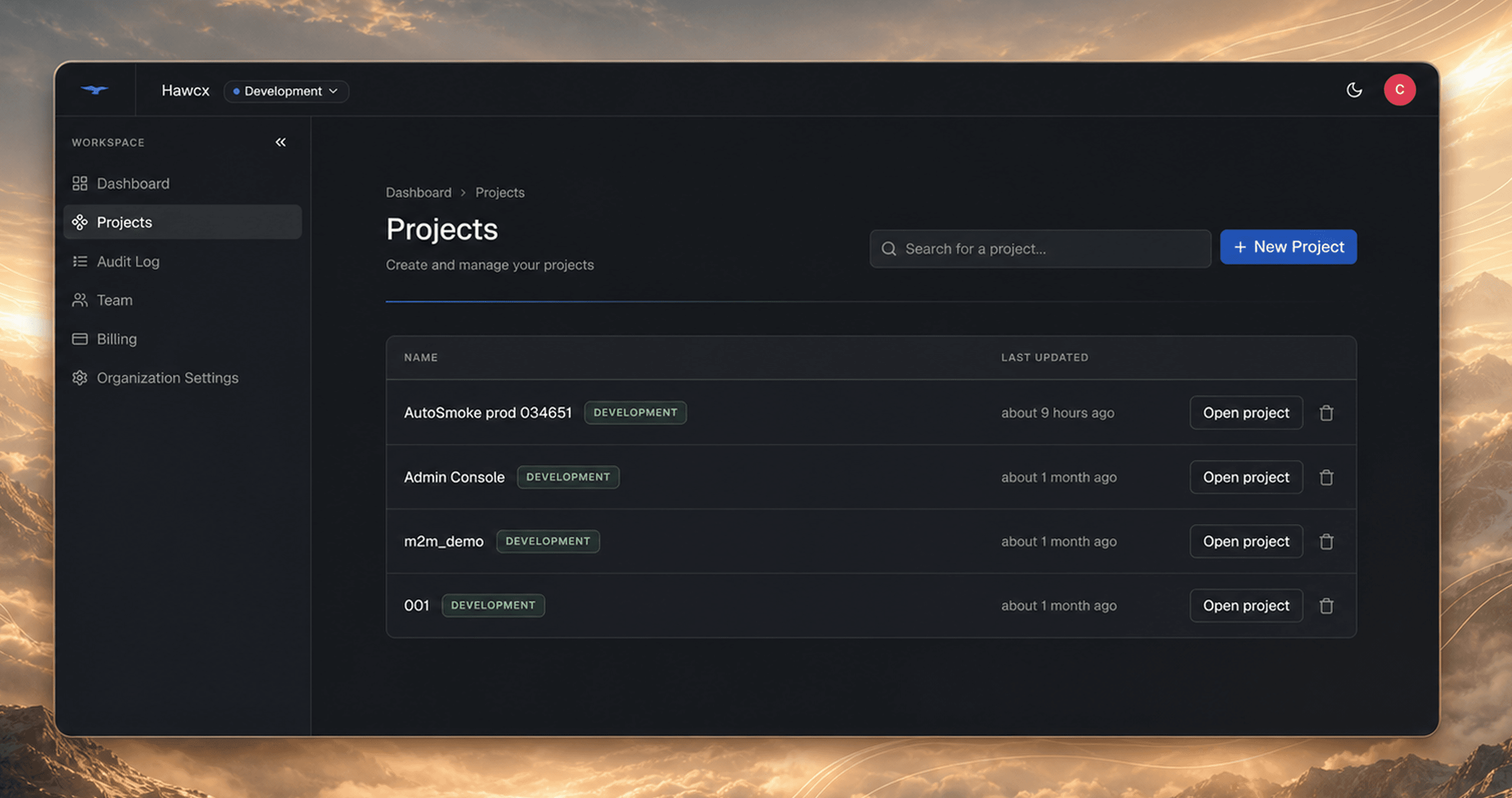
What you see depends on your role. Admins can see all projects in the organization, while developers and viewers only see projects they have been assigned to.
Project list
The project list gives you a quick way to identify the right application before opening its details.
| Column | Description |
|---|---|
| Project Name | Your application name |
| Environment | DEVELOPMENT or PRODUCTION badge |
| Created | When the project was created |
Use the environment badge to avoid mixing setup or debugging work across development and production projects.
Filters
Use filters when you want to narrow a long project list.
| Filter | Description |
|---|---|
| Search | Filter by project name or description |
| Environment | All, Development, or Production |
For example, you can search by application name when you know the project you need, or switch the environment filter to Production before reviewing live configuration.
Results are paginated with 10 projects per page.
Project detail pages
Open a project to manage settings and activity for that application only. Project-level pages are useful when you want to inspect one integration without mixing it with organization-wide activity.
| Page | Description |
|---|---|
| Home | Project overview and authentication analytics |
| Audit Log | Project-specific action history |
| Users | Users authenticating with this project |
| Settings | Project configuration, Config IDs, and allowed domains |
Managing project users
The Users tab shows the people who have authenticated with a project. Use it when you need to investigate a user, check their connected devices, or revoke access for a device.
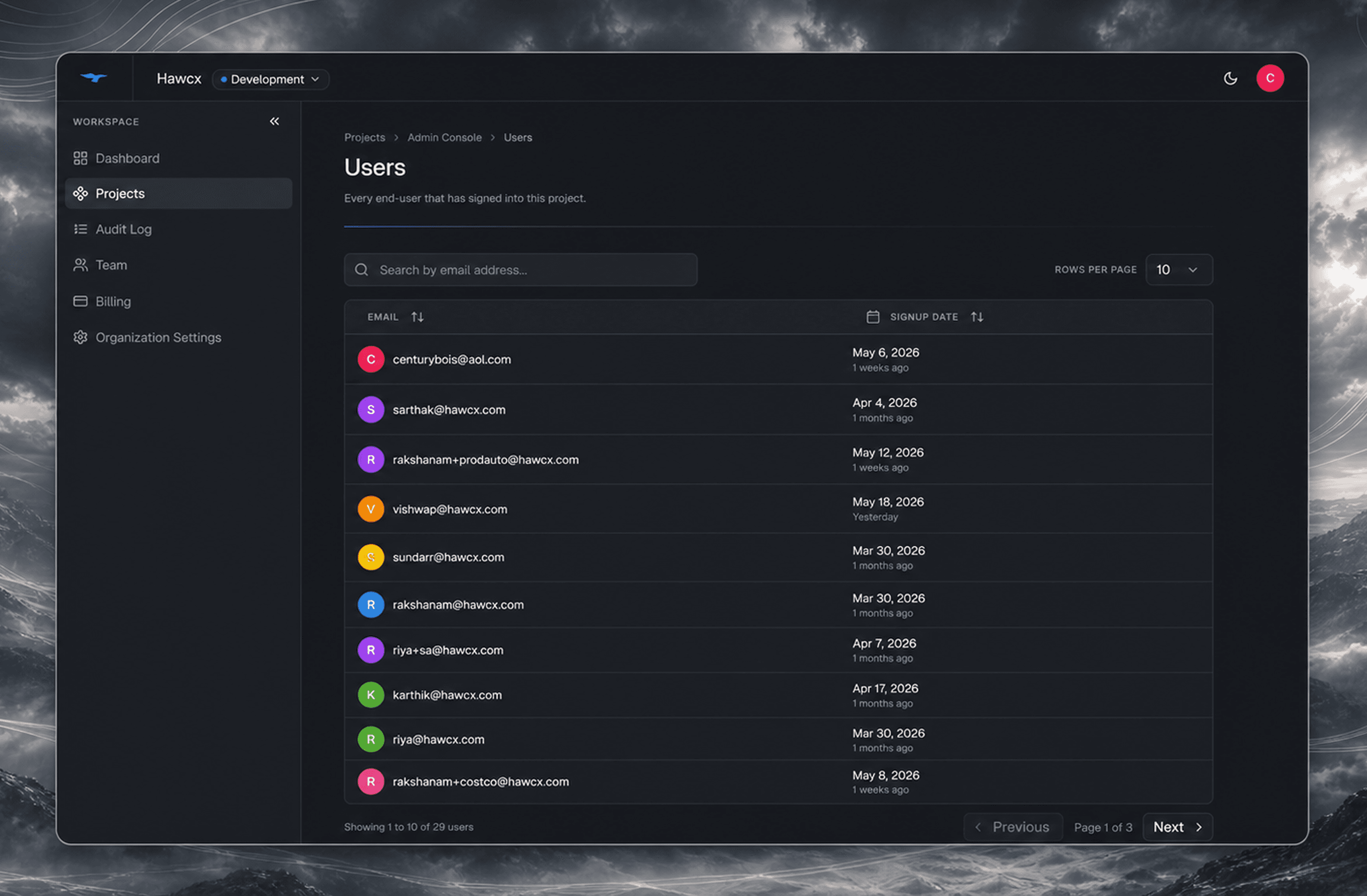
- View all users who have authenticated with the project
- Click View Details on any user to see their connected devices, signup date, and activity
- Revoke or Restore access for specific devices from the detail view
Revoking a device affects that device's access to the selected project. Restoring access allows the device to authenticate again.
Next steps
- Create a project to set up a new application
- Config IDs to generate credentials for your app
- Team management to assign developers to projects